Skip to content
Postwoo Sign in Start for free

Post it.
Reply to it.
Woo them.

Your clients' social in one feed you'll actually love. Schedule to six platforms, answer Google reviews from a love inbox, and report numbers that never fib.

Official APIs only ★ No made-up zeros Demo workspace included

The Postwoo feed on a phone: client stories at the top, then a published Bluebird Bakery post

The real app · demo workspace

GGoogle Business Profile fFacebook ◎Instagram inLinkedIn ▶YouTube ♪TikTok
Look inside

The real app, not a mock-up

Screens from the Postwoo demo workspace. Tap a tab or swipe to look around.
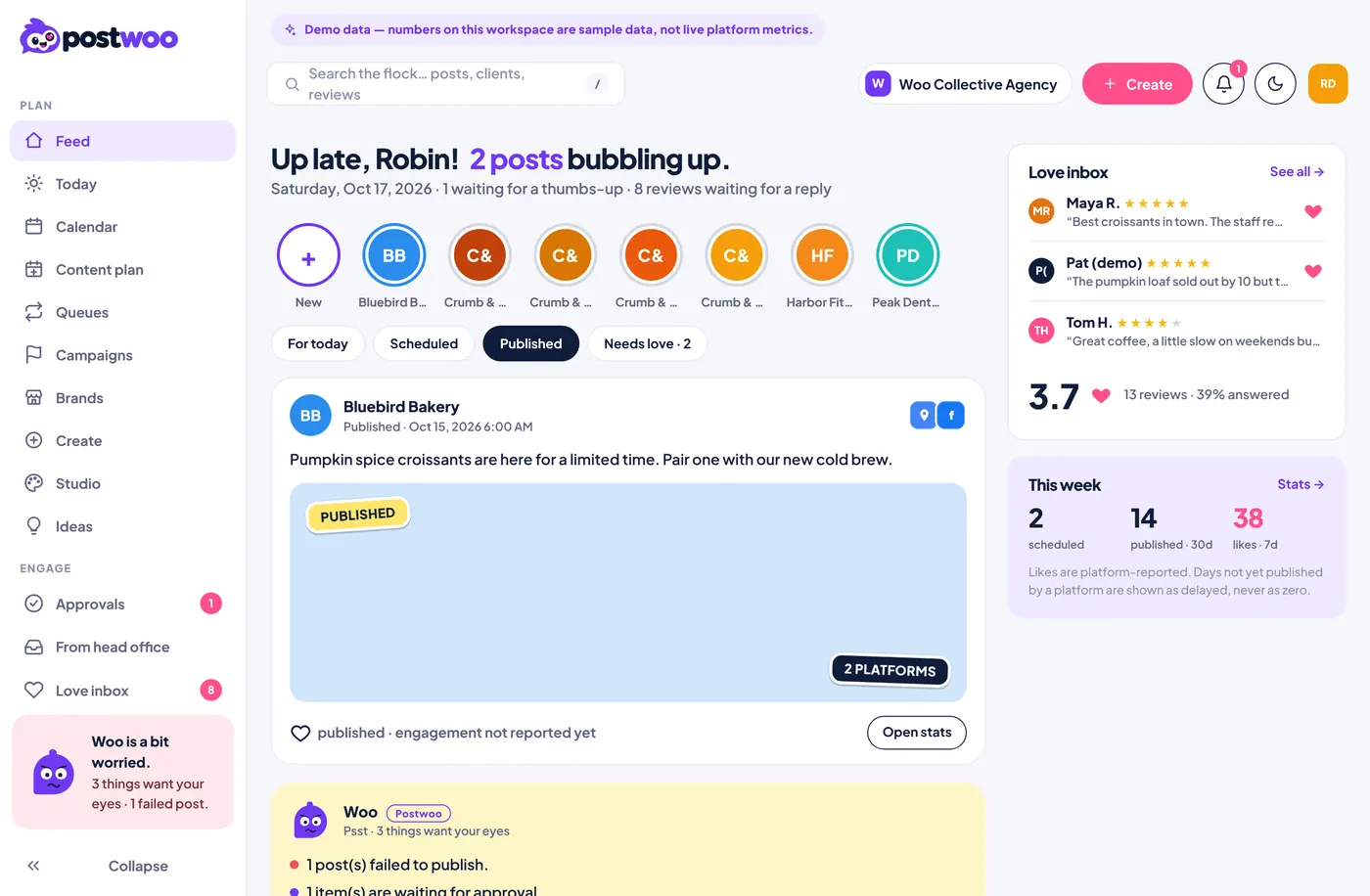
The Postwoo feed: client stories, filter tabs, a published Bluebird Bakery post, and the reviews snapshot and weekly numbers on the side
Every client in one feed Stories at the top are your clients. Scheduled, published and waiting-for-approval posts read like a timeline.
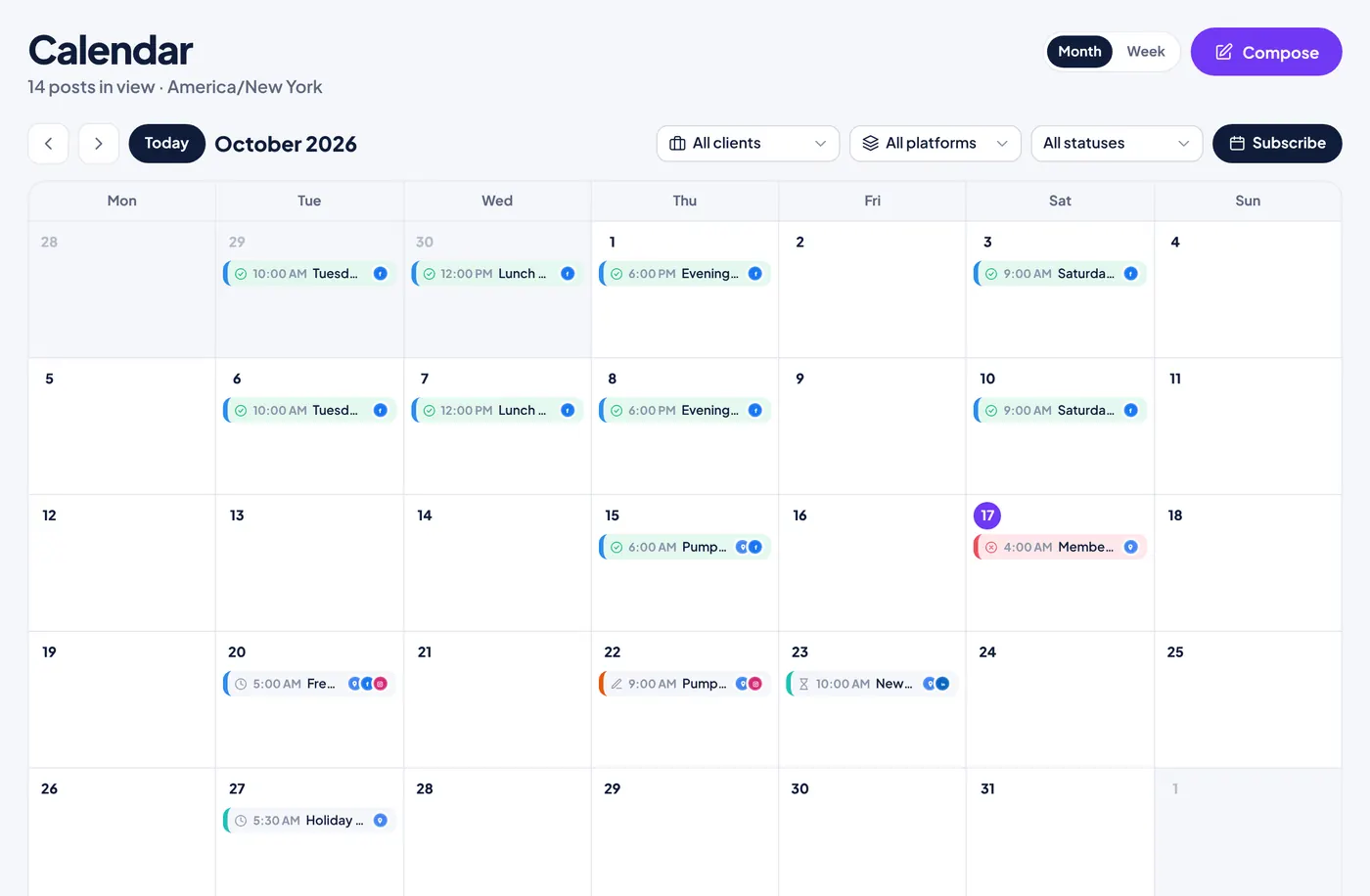
The Postwoo calendar for October with posts for several clients, each marked with its platforms and status
A month at a glance Every scheduled, published, failed and pending post across clients and platforms, filterable by client, platform and status.
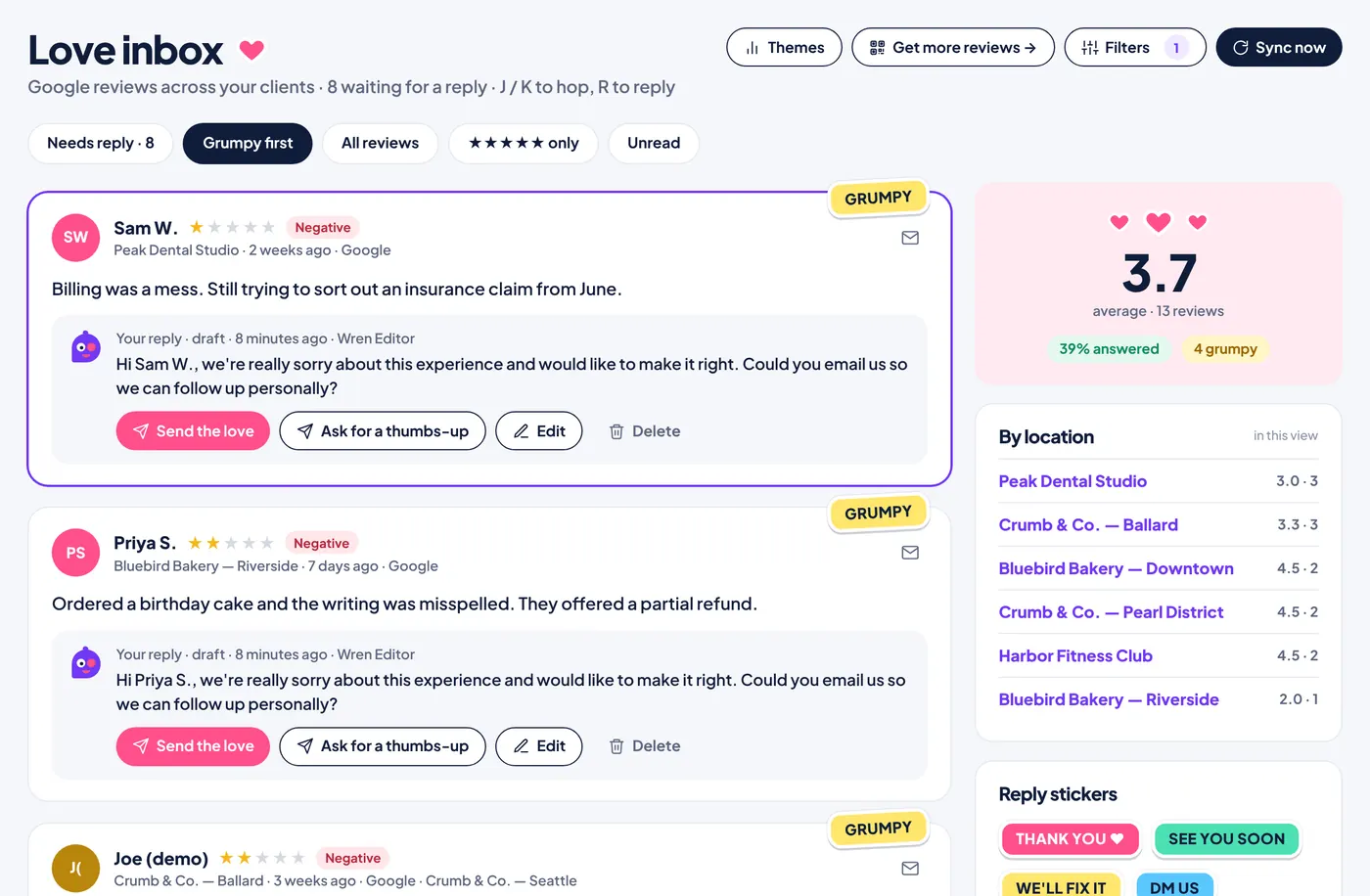
Reviews sorted grumpy first, with drafted apology replies ready to send or to send for approval
Google reviews, grumpy ones first Drafted replies wait for “Send the love” or a manager’s thumbs-up. Reply stickers and per-location ratings on the side.
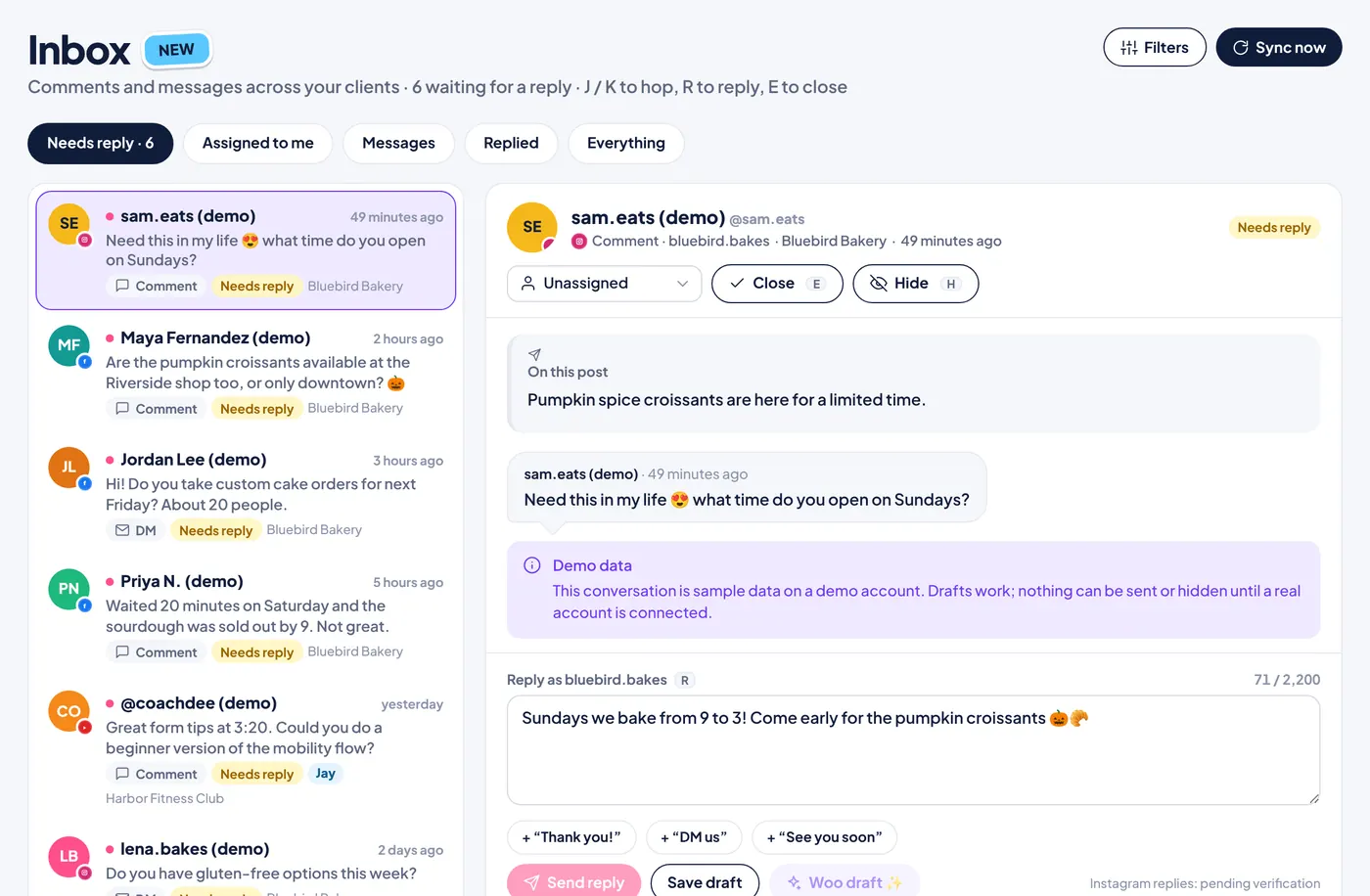
The social inbox: a list of comments and direct messages that need a reply, and a reply being drafted to a question about Sunday opening hours
Comments and DMs in one place Comments and messages from your clients’ social accounts, with assignment, quick replies and keyboard shortcuts.
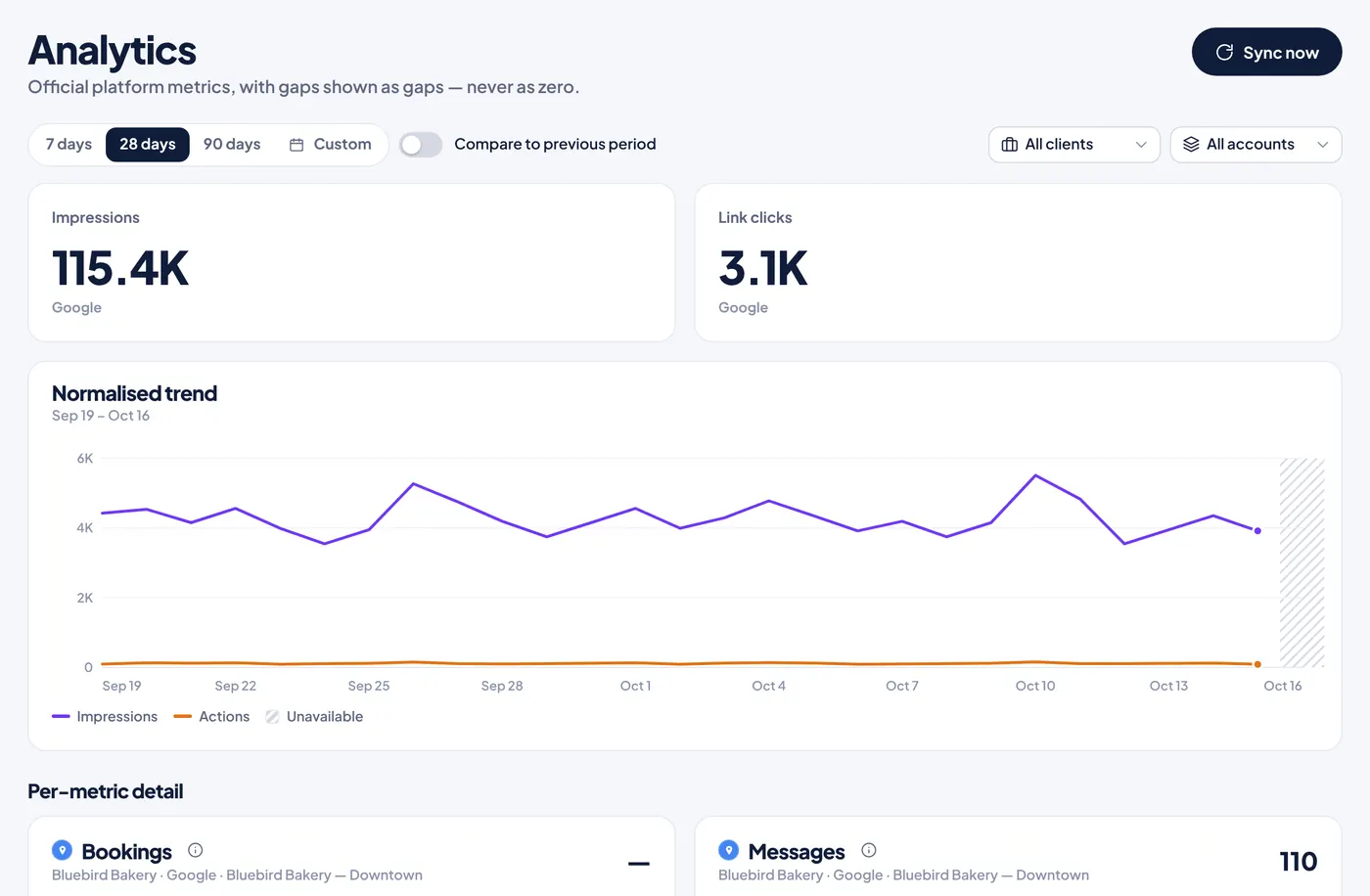
Analytics with impressions and link clicks, and a 28-day trend whose last days are hatched as not yet reported
Gaps shown as gaps Days a platform hasn’t reported yet are hatched as unavailable, never drawn as zero.
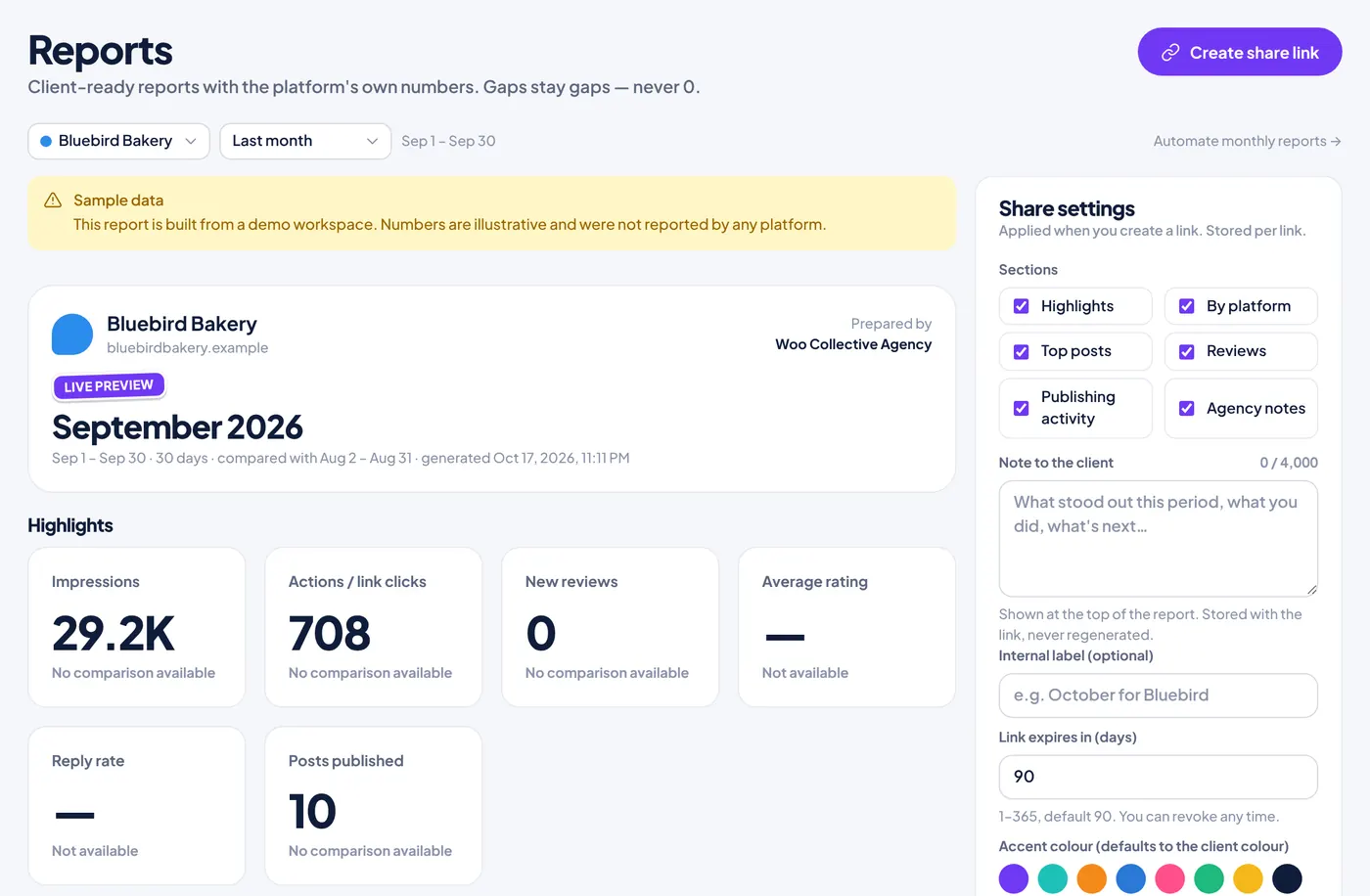
A client report preview for Bluebird Bakery for September, labelled as sample data, with share settings on the side
Reports your clients can open A shareable monthly report with the platforms’ own numbers. Missing metrics say “Not available”.

Demo workspace Clients, reviews and numbers in these screens are sample data, not customer results.

Home feed

Every client, every platform, one scrollable feed

Scheduled, published and waiting-for-approval posts show up like a timeline. Stories at the top are your clients; tap one to filter. Approve with a thumbs-up, edit in place, and see likes and comments as the platforms report them.

  • Per-platform previews and character limits checked before you schedule
  • Client approval flows with notes
  • Idempotent publishing — no duplicates, ever
See the feed
PD
Peak Dental Studio
Waiting for approval · Google
New patients get a complimentary whitening consultation this month.
Needs a thumbs-up
ApproveAsk for changes
Reviews

Google reviews that feel like DMs

Every review from every location lands in one inbox. Reply with saved stickers, route the grumpy ones through approval, and watch your response time melt.

  • Drafts, approvals and one-click publish
  • Grumpy-first sorting (≤3★ without a reply)
  • Replies made in Google stay in sync
Open Reviews
Reviews on a phone: a five-star review from Maya R. with the published reply
New ♥
M
Maya R. ★★★★★
Bluebird Bakery — Downtown · 2h ago · Google

Best croissants in town!

Your reply · draft
Thank you Maya! See you Saturday. 🥐
Send the love
Stats

Likes, follows, reach — reported honestly

Every number keeps its platform's own definition. Days a platform hasn't published yet show as delayed, never as a made-up zero. Your clients' reports stay true.

  • Platform-true metric definitions, one click away
  • Period comparisons that know when data is missing
  • API and webhooks for PeakKR, SEOApp or your own dashboards
Look at stats
likesfollowsreachdelayed days shown as delayed
Hatched = not published by the platform yet. Never counted as zero.
6
platforms via official APIs
0
made-up zeros in reports
1 click
to reply to a Google review
∞
clients per workspace
Pricing

Every feature on every plan.

Plans only differ in clients, accounts and seats. Approvals, the love inbox, honest stats, reports, the API, webhooks and the audit log are always included. See plans or start in the demo workspace.

✓

Supported

Implemented against the official API and verified with live credentials. You can rely on it.

…

Pending verification

Built to the official spec, awaiting approved production access to confirm end to end. Labelled clearly in the app.

×

Unsupported

The platform's API doesn't allow it — video on Google posts, per-post insights for Business Profile. We say so instead of faking it.

Questions agencies ask us.

Do you use official APIs?

Yes, exclusively. Google Business Profile, Meta Graph (Facebook & Instagram), LinkedIn, YouTube Data and TikTok Content Posting APIs. No scraping, no browser automation — that's how accounts get suspended.

Why does a metric say “delayed” or “unavailable”?

Because the platform hasn't reported it yet, or doesn't expose it at all. Google Business Profile performance data typically lags 2–3 days and has no per-post insights. We show the gap instead of drawing a zero.

Can clients approve posts before they go out?

Yes. Turn on approvals per organization or per client. Editors submit, managers approve or reject with a note, and the audit log records who decided what.

Can I use Postwoo from my own tools?

Yes — create scoped API credentials in Settings, read the API docs, and subscribe to webhooks for published posts, failures and new reviews. PeakKR and SEOApp presets are built in.

Woo

Ready to give your clients' social a feed worth scrolling?